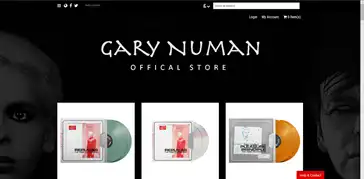
This group has been put together for fans of Gary Numan and visitors of the Numanme site, to discuses all things Numan sell/trade share stories and images
from all aspects of Numan's career.
Numanme Radio Podcast will be playing you some of the best Classic Alternative, New Wave, Dark Wave, Synth-Pop, and Punk. Also, a staple diet of Gary Numan/Tubeway Army without question. Shows will be updated here when they become available.
The gallery contains Gary Numan-related photographs. They range from the Tubeway Army days to the present day. Feel free to browse and if you would like to add any of your images please get in touch.
Discover Gary Numan quotes Here you will find a list of random quotes from the man himself Mr. Gary Numan some about life and he's success, little snippets into the life of Gary Numan....
Create a one-of-a-kind Hit Counter in minutes with no design experience or coding needed..
instructions for user
To use your Hit Counter, follow these steps to set up the generator and deploy your custom hit tracker:
1. Installation & Environment
Server Requirements: Upload the script to a server running PHP 7.4 or higher.
Permissions: Ensure the directory is writeable (755 or 777 permissions). The script must be able to create counter.txt and settings.json automatically.
Dependencies: Make sure the php-zip extension is enabled on your cPanel or hosting dashboard to allow the "Download ZIP" feature to function.
2. Customising Your Counter
Real-Time Design: Use the sliders to adjust Glow Intensity and the color pickers for the Neon Hex Codes.
Transparency: If you want to embed the counter over an existing website background, check the "Remove" boxes for both the Page and Counter backgrounds.
Initial Count: Set the "Start Hits" value if you are migrating from an old counter and want to preserve your current statistics.
Save Settings: Click Update to save your visual configuration to the server.
3. Deployment
Download: Click the Download ZIP button to generate a portable version of your counter.
Upload: Unzip the files and upload index.php and counter.txt to a subfolder on your website (e.g., ://yourdomain.com).
Embed: Use an iFrame to display the counter on your main page:
html
Unique Visitors: The script uses session_start() to ensure that refreshing the page does not artificially inflate the count.
Font Support: If you select Orbitron, the exported file will automatically pull the font from the Google Fonts Library.
Would you like the JavaScript code to enable the Live Preview feature so you can see your changes instantly without clicking Update?